
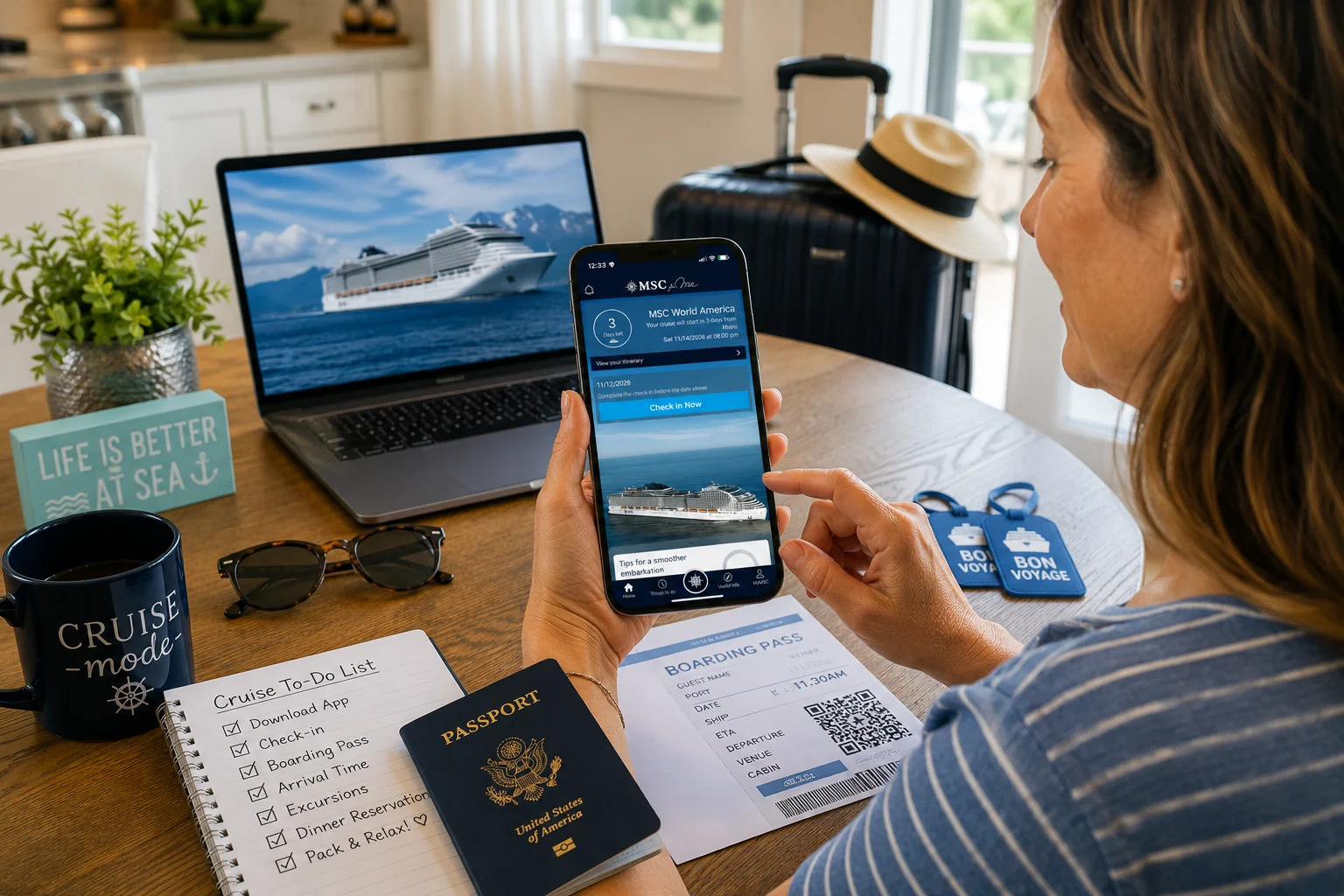
The MSC for Me app is one of those cruise tools that is much easier to deal with before you are standing in a cruise terminal, juggling luggage, passports, boarding documents, and someone asking for the third time, “Are we allowed to eat lunch yet?”
Yes, you can use the app onboard. Yes, you may be able to finish some setup items later. But if you take a few minutes before your cruise to download the app, link your booking, complete check-in, and save your boarding pass, embarkation day should feel a lot smoother.
MSC says the MSC for Me app supports mobile check-in, digital boarding pass access, itinerary planning, pre-cruise bookings, daily schedules, ship details, interactive maps, onboard expense tracking, notifications, and MSC for Me Chat. The app is available before your cruise and can also be used onboard through the ship’s Wi-Fi.
Here’s how to set up the MSC for Me app before your cruise, plus a few practical tips to avoid last-minute app drama.
Download the MSC for Me App Early
Start with the obvious step: download the app before your cruise.
MSC for Me is available for free from the Apple App Store and Google Play. MSC says you can download it before your cruise or once onboard through the ship’s Wi-Fi, but I strongly recommend doing it at home on your regular Wi-Fi.
Embarkation day already has enough tiny moving parts. There is no reason to add “trying to download an app on terminal cell service” to the list.
Make sure everyone in your travel party who wants to use the app downloads it too. This is especially helpful for couples, friends, older teens, and groups who want to use MSC for Me Chat onboard.
Log In and Link Your Booking
Once the app is downloaded, open it and either log in or create an MSC account.
Then link your cruise using the information from your MSC cruise confirmation. In most cases, you will need your booking number, first name, and last name. Enter your name exactly as it appears on your booking.
That part matters.
If your cruise confirmation says “Thomas,” do not be shocked if “Tom” does not work. Cruise booking systems are not always known for their warm embrace of nicknames.
After linking your booking, confirm that the correct cruise appears in the app. Check the ship, sailing date, embarkation port, and cabin information if your room has already been assigned.
If you booked through a travel agent, you should still be able to connect your reservation, but you may need the MSC booking number rather than the agency’s internal confirmation number.
Complete Mobile Check-In
The MSC for Me app can help with mobile check-in and digital boarding pass access. MSC also says web check-in is available from the time your booking is confirmed until 2 days before the cruise departure.
This is one of the most important setup steps to handle before embarkation day.
During check-in, you may be asked for:
- Personal details
- Passport or travel document information
- Contact information
- Emergency contact information
- Security photo
- Arrival or check-in time
- Credit card or onboard payment setup
MSC says all guests must enter their required data for web check-in, and the process is used to issue the e-ticket and boarding pass. MSC also recommends completing check-in as early as possible so your documents are ready promptly.
Do not leave this for the morning of your cruise unless your vacation style is “let’s add unnecessary stress and see what happens.”
Have an Emergency Contact Ready
During check-in, MSC may ask for an emergency contact. MSC describes this as someone you designate to be contacted in case of an emergency during your cruise.
A good rule of thumb is to use someone who is not sailing with you. That way, if MSC truly needs to contact someone in an emergency, they are not trying to reach the person sitting next to you at the buffet.
Have their name and phone number ready before you start check-in.
Take Your Security Photo
MSC may also ask for a security photo during check-in. MSC says the security photo is used for identification during embarkation and disembarkation in ports. If you cannot complete the photo ahead of time, MSC staff can take it during embarkation.
For the smoothest setup, try to take the photo in the app or web check-in before you arrive.
A few basic tips:
- Use good lighting.
- Face the camera directly.
- Use a plain background if possible.
- Skip sunglasses.
- Skip hats.
- Avoid filters.
- Do not use a group photo.
This is not your vacation glamor shot. It is a security photo. Save the sunglasses and sunhat for the pool deck, where they belong.
Choose Your Arrival Slot
MSC assigns guests a check-in slot by default, and MSC says the slot may be changed during web check-in if other times are available. MSC also says guests should follow the check-in slot shown on their cruise ticket, and that arriving before the dedicated slot could mean waiting outside the terminal.
In practical terms, every port and ship has an arrival slot process, but how strictly earlier and later times are enforced can vary by port.
Choose the arrival time that works best for you if options are available. Then follow the time shown on your boarding documents.
Could you see people arriving earlier and still getting in? Sometimes, sure. But that does not mean I would plan my whole embarkation day around ignoring the time MSC gave me.
Link Your Credit Card or Set Up Payment
MSC gives guests the option to register a credit card during check-in, but it is not mandatory. MSC says security photo and credit card registration are not required to obtain your e-ticket and boarding pass, although they recommend them to speed up embarkation. MSC also says guests can register a credit card onboard at activation points or leave a cash deposit with Guest Services.
If available for your booking, linking your credit card before your cruise can save time onboard.
That matters because onboard purchases are usually made with your personal cruise card. You are not typically pulling out your credit card at every bar, shop, or specialty restaurant. Your cruise card handles the onboard charges, and your registered payment method settles the account.
MSC says that if you already registered your credit card during web check-in, you do not need to register your payment method onboard.
So yes, this is worth doing in advance if you are comfortable with it. But if the card setup does not work, or you would rather handle payment onboard, that option exists too.
Save Your Digital Boarding Pass
Once check-in is complete, make sure you can access your boarding documents.
MSC says completing web check-in or using the MSC for Me app, where available, can provide a digital boarding pass with a QR code for smoother embarkation. MSC also notes that guests may need to show either the embarkation form, on paper or digital version, or a personal QR code before boarding.
Before you leave for the terminal:
- Confirm your boarding pass appears.
- Save it to your phone if possible.
- Screenshot the QR code.
- Save any e-ticket or travel documents.
- Consider printing a backup.
I love digital boarding passes. I also love not trusting my entire vacation to one phone battery.
A screenshot takes five seconds and can save a lot of unnecessary panic.
Review Your Itinerary and Cruise Details
Once your cruise is connected in the app, take a few minutes to review the basics.
Check your:
- Ship
- Sail date
- Embarkation port
- Terminal information
- Port stops
- Sea days
- Disembarkation date
- Any available itinerary notes
MSC says the app can show itinerary and ship details before your cruise, and onboard it can help with real-time itinerary information.
This is also a good time to make sure nothing looks surprising. If you thought you were leaving from Miami and the app says Port Canaveral, that is not a “we’ll figure it out later” kind of problem.
Also remember that schedules can change. Use the app before your cruise for planning, but keep checking once you are onboard.
Check Pre-Cruise Packages and Discounts
Before you sail, use the app or your MSC account area to review available packages and add-ons.
MSC says the MSC for Me app can be used before your cruise to book services and activities, including excursions, dining, spa treatments, entertainment, and internet packages.
This is worth doing because pre-cruise pricing is often better than waiting until you are onboard. MSC specifically says Wi-Fi packages can have special savings compared with onboard prices, drink package pages reference exclusive discounts on select pre-cruise prices, and the Fun Pass can be purchased online before the cruise for exclusive online savings.
Things to check before your cruise include:
- Drink packages
- Wi-Fi packages
- Shore excursions
- Specialty dining
- Spa treatments
- Fun Pass
- Entertainment or onboard activities where available
You do not have to buy everything ahead of time. But if you already know you want a drink package, internet package, spa treatment, specialty dinner, or specific excursion, it is usually smart to compare the pre-cruise price before you board.
Future you may appreciate not paying the “I’ll just deal with it later” tax.
Reserve Your Must-Do Experiences
This is especially important for shore excursions and specialty dining.
If there is an excursion you really want, look for it before you sail. If there is a specialty restaurant you know you want to try, check whether reservations are available. If you are planning around a sea day spa treatment, take a look before the best times disappear.
Availability can vary by ship, itinerary, sailing, and market. Some things may show up before the cruise, while others may be easier to handle onboard.
But the main idea is simple: if something matters to you, do not wait until day three of the cruise to start thinking about it.
Turn On Notifications
I know, I know. Nobody wants another app sending notifications.
But for MSC for Me, it is worth turning them on at first.
MSC says the app can provide personalized notifications, event notifications, special offers, and reminders related to your cruise experience.
Notifications can be helpful for:
- Activity reminders
- Reservation reminders
- Dining or entertainment updates
- Promotions or offers
- Onboard schedule changes
- Things you saved to your personal agenda
You can always adjust the settings later if the app gets too chatty. But early in the cruise, notifications can help you avoid missing something you actually wanted to do.
Make Sure Your Travel Party Is Set Up Too
If you are traveling with a spouse, friends, older teens, or a group, encourage them to download and set up the app before the cruise too.
This matters most if you want to use MSC for Me Chat. MSC says MSC for Me Chat allows guests to message friends and family onboard through the app without needing an internet package. MSC lists this feature as available for guests age 16 and older.
That can be very helpful onboard, especially on larger ships where “I’m by the pool” can mean roughly 47 different places.
Just remember the age note. If you are traveling with younger kids, do not assume MSC for Me Chat will solve every family communication issue.
MSCCruise Fan Tip: You Do Not Need Internet Just to Use the App
Here is one of the most important things to know before your cruise:
You do not need to buy an MSC internet package just to use the MSC for Me app onboard.
You do need to connect to the ship’s Wi-Fi network, but MSC says the app works through the ship’s Wi-Fi and does not require an internet package for its features. MSC for Me Chat also works onboard without needing an internet package.
That means you can use the app for schedules, maps, reservations, spending, notifications, and onboard chat without buying a paid internet package.
Paid internet is for things outside the app, like regular web browsing, email, WhatsApp, social media, video calls, and streaming.
What to Screenshot Before You Leave Home
Even if the app works perfectly, screenshots are your friend.
Before heading to the port, screenshot, print or save:
- Digital boarding pass
- QR code
- E-ticket, if provided
- Luggage tags
- Embarkation time
- Terminal address
- Passport or travel document reminders
- Specialty dining reservations
- Shore excursion confirmations
- Spa appointments
- Drink package confirmation
- Wi-Fi package confirmation
- Fun Pass confirmation
- Hotel information
- Transfer information
- Travel insurance details
- Emergency contact information
You probably will not need all of these. But if the app has a slow moment, your phone battery gets dramatic, or terminal service is spotty, having the important details saved can make the day much easier.
Common MSC for Me Setup Problems
My Booking Is Not Showing in the App
First, recheck your booking number. Then make sure your first and last name match the cruise confirmation exactly.
Also check for:
- Nicknames
- Typos
- Middle names or initials
- Recently booked reservations
- Travel agency confirmation numbers that are not the same as your MSC booking number
If it still does not show up, try again later or contact MSC or your travel agent.
I Cannot Complete Check-In
If the app is giving you trouble, try completing check-in through MSC’s website instead.
MSC says web check-in is available from booking confirmation until 2 days before departure, so do not wait until the last minute.
If you are close to sailing and still cannot complete check-in, contact MSC or your travel agent.
My Security Photo Is Not Working
Use better lighting, face the camera directly, and remove hats or sunglasses.
MSC says the photo is taken automatically when brightness and face positioning requirements are met. If it is not possible to take the photo, MSC staff can take it during embarkation.
So try to complete it ahead of time, but do not panic if that is the one step that refuses to cooperate.
My Boarding Pass Is Not Showing
Confirm check-in is complete. Then check your email and MSC account.
If you booked through a travel agent, MSC says you can request your tickets directly from your travel agent.
This is another reason to save anything you receive by email and bring backup documents.
My Credit Card Will Not Register
Try again later, confirm your billing details, or try a different card.
MSC says credit card registration during web check-in is not mandatory. You can register a card onboard at activation points or leave a cash deposit with Guest Services after embarkation.
So it is helpful to do ahead of time, but it is not worth melting down over if the app gets stubborn.
Final Pre-Cruise MSC for Me Checklist
Before you leave for the port, make sure you have handled the basics:
- Download MSC for Me.
- Log in or create your MSC account.
- Link your booking.
- Confirm your ship and sailing date.
- Complete mobile check-in.
- Enter travel document information.
- Add an emergency contact.
- Take your security photo if prompted.
- Choose your arrival slot if options are available.
- Register your credit card if you want to handle payment early.
- Save your digital boarding pass.
- Screenshot your QR code.
- Review your itinerary.
- Check pre-cruise packages and discounts.
- Reserve must-do excursions, dining, or spa appointments.
- Turn on app notifications.
- Make sure your travel party has the app too.
- Bring backup documents just in case.
Final Thoughts
Setting up the MSC for Me app before your cruise is one of those small tasks that can make embarkation day feel much easier.
Download the app early, link your booking, complete check-in, save your boarding pass, and review any packages or reservations you care about before you sail. None of this is difficult, but it is much more pleasant to do from your couch than from the cruise terminal while your family stares at you like you personally invented waiting.
The app is not perfect, and not every feature works exactly the same on every sailing. But as a planning tool, boarding tool, and onboard companion, MSC for Me is worth having ready before you step onto the ship.
Set it up early, screenshot the important stuff, and then you can focus on the real priority of embarkation day: getting onboard, finding lunch, and pretending you are absolutely not going to get lost on the way back to your cabin.